5 Hacks Every Amazfit User Should Know
Are you getting the most out of your Amazfit smartwatch? If you’re like most users, you’ve probably only scratched the surface of what this device can do. While many people wear their Amazfit daily, they’re missing out on powerful features and clever workarounds that can transform their experience entirely. Let’s dive into the game-changing hacks that will make you wonder how you ever managed without them.
Master Your Battery Life with Smart Display Settings
Battery anxiety is real when you’re wearing a smartwatch. The good news? Your Amazfit has several hidden display optimization features that can extend battery life by days. Start by adjusting your screen timeout settings to their minimum comfortable level. Most users keep this far longer than necessary. Additionally, consider using the always-on display feature strategically—enable it only during hours when you actually need quick glances at the time without raising your wrist.
Another often-overlooked setting is display brightness. Contrary to what many believe, lowering brightness doesn’t just save battery; it also reduces eye strain during evening hours. The real hack? Use your watch’s ambient light sensor by enabling automatic brightness adjustment. This single setting can add an extra day to your battery life without sacrificing functionality.
Customize Your Watch Faces Like a Pro
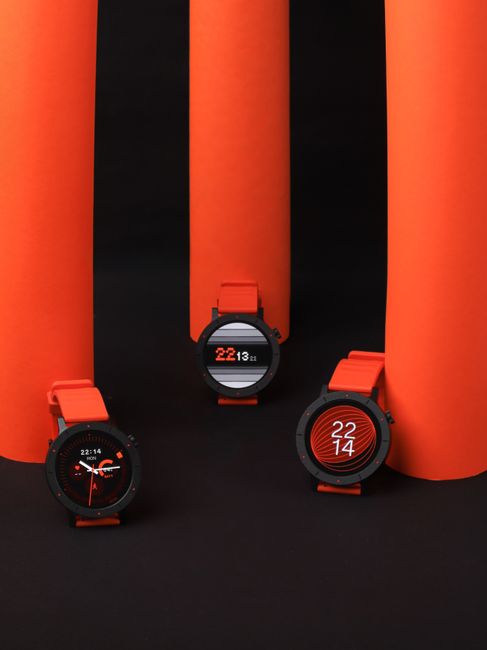
Most Amazfit users stick with default watch faces, but the customization potential goes far deeper. Beyond selecting pre-loaded faces, you can enable multiple information widgets on a single face. This means you can glance at your heart rate, steps, weather, and calendar all from one display without swiping through screens.
Quick tip: Create different watch faces for different scenarios—one optimized for workouts, another for professional settings, and one for sleep tracking focus.
The real power comes from understanding which data points matter most for your lifestyle. If you’re focused on fitness, prioritize your activity rings and step count. For professionals, calendar integration and notification previews become essential. Spend an afternoon building 2-3 dedicated faces rather than constantly switching between dozens of generic options.
Unlock Advanced Notification Management
Notifications can make or break your smartwatch experience, yet most people never touch these settings. Instead of getting bombarded with every ping, create a whitelist of apps that truly deserve your wrist’s attention. Go into your Amazfit app and disable notifications from social media, news apps, and email during focus hours.
Here’s the hack many miss: you can set different notification rules based on time of day and activity type. Configure your watch to suppress notifications during workouts, silence them after 9 PM, and deliver them quietly during business hours. This level of control transforms your watch from a distraction machine into a focused tool that respects your attention.
Optimize Sleep Tracking for Accurate Data
Your Amazfit provides sleep data, but accuracy depends heavily on how you use it. First, ensure you’re wearing the watch snugly but comfortably—too loose and it won’t detect movement patterns accurately. More importantly, establish a consistent sleep schedule that your watch can learn and recognize.
The software hack involves checking your sleep settings for nap detection thresholds. Many users have this set too aggressively, which means afternoon rest periods get logged as sleep. Adjust these sensitivity levels based on your actual sleep patterns. Additionally, some Amazfit models offer sleep quality coaching through the companion app—enable these insights and actually read them instead of ignoring the notifications.
Leverage Workout Intelligence and Custom Training Plans
Your Amazfit likely supports dozens of workout modes, but most people use just two or three. Explore all available modes for your specific interests. The real hack involves creating manual workouts for activities your watch doesn’t automatically recognize—think rock climbing, martial arts, or casual hiking—and logging them through the companion app for complete activity tracking.
Here’s something many overlook: your watch can sync with other health and fitness platforms. Check your Amazfit app settings for integration options with popular health ecosystems. This expanded data view gives you insights that no single app can provide alone.
Did you know? Most Amazfit users never check their watch’s stress monitoring features, which can provide valuable biometric insights throughout your day.