Five Hacks Every Garmin Forerunner 970 User Should Know
Did you know that most smartwatch owners never explore beyond basic tracking features? If you’ve invested in a Garmin Forerunner 970, you’re sitting on a goldmine of functionality that extends far beyond counting steps and monitoring heart rate. The true power of your device lies in the features you haven’t discovered yet—and we’re here to help you unlock them.
Master Custom Data Fields for Real-Time Performance Insights
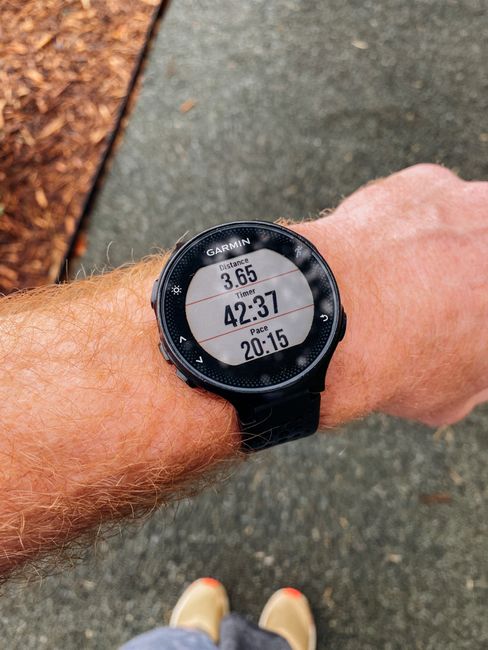
Your Forerunner 970 comes loaded with preset watch faces, but generic layouts rarely show you the metrics that matter most during your workouts. Instead of settling for default configurations, dive into the Connect app and customize your data fields. Whether you’re a trail runner obsessed with elevation gain, a cyclist tracking power output, or an endurance athlete monitoring cadence, you can arrange your screen to display exactly what you need to see at a glance. This simple tweak transforms your watch from a generic fitness tracker into a personalized performance dashboard.
Leverage Training Status and Load Focusing
The Forerunner 970 analyzes your training patterns and provides recommendations through its Training Status feature. Rather than ignoring these suggestions, actually engage with them. Pay attention when your watch indicates you should focus on recovery or intensity work. Load Focusing helps you understand whether you’re training smartly or pushing too hard. By respecting these insights, you’ll optimize your training schedule without burning out. Think of your watch as having a built-in coaching system—one that learns your fitness level and adjusts recommendations accordingly.
Quick tip: Check your training status after your workout, not just during. This gives you better context for planning your next session.
Unlock Recovery Window Tracking and Sleep Insights
Recovery matters as much as the workout itself, yet many athletes overlook what their Forerunner 970 reveals about sleep quality and recovery windows. Your watch monitors sleep stages and provides daily recovery recommendations based on your training load. Before scheduling back-to-back intense sessions, check your recovery metrics. If your watch shows you’re still in a depleted state, consider a lighter day instead. This data-driven approach prevents overtraining injuries and helps you actually improve rather than simply accumulating miles.
Configure Dynamic Workout Alerts and Notifications Strategically
Generic notifications can be distracting during focused training sessions, but strategic alerts keep you accountable. Set up custom alarms for heart rate zones, pacing targets, and distance milestones. Want to avoid pushing into anaerobic territory on an easy day? Enable heart rate zone alerts. Training for a specific race pace? Set pace range notifications. The key is customizing these features in the Connect app to match your actual training goals rather than accepting default settings that may not align with your objectives.
Harness Weather Integration for Smarter Route Planning
Your Forerunner 970 displays weather information, but power users take this further by planning their routes around forecasts. Check weather conditions before uploading workouts to identify patterns—maybe you perform better on cooler days or discover certain conditions trigger discomfort. Use this knowledge to schedule important workouts when conditions are favorable. Additionally, knowing wind direction can help you structure your route more efficiently, saving headwind exposure for when you’re fresh rather than fatigued.
Your Garmin Forerunner 970 is capable of far more than you might realize. By customizing data fields, respecting training recommendations, monitoring recovery, setting strategic alerts, and leveraging weather data, you’ll extract maximum value from this sophisticated piece of technology. The watch is only as powerful as the attention you give to its features—so start exploring today and watch your training transform.